
EKLine: Bridging the Gap Between AI Automation and Human Control
Role: Product Designer
Timeline: 2 months
The Vision
Reducing Friction in AI Documentation
EKLine is an AI-powered documentation tool that helps technical writers standardize content. While the AI backend was capable, the interface created friction that made users doubt the system. Writers were spending too much time configuring settings and manually saving changes. I redesigned the settings architecture and added autosave functionality, reducing configuration time by 45% and increasing first-attempt success rates by 90%.
Project Brief
Redesign settings and reduce configuration friction
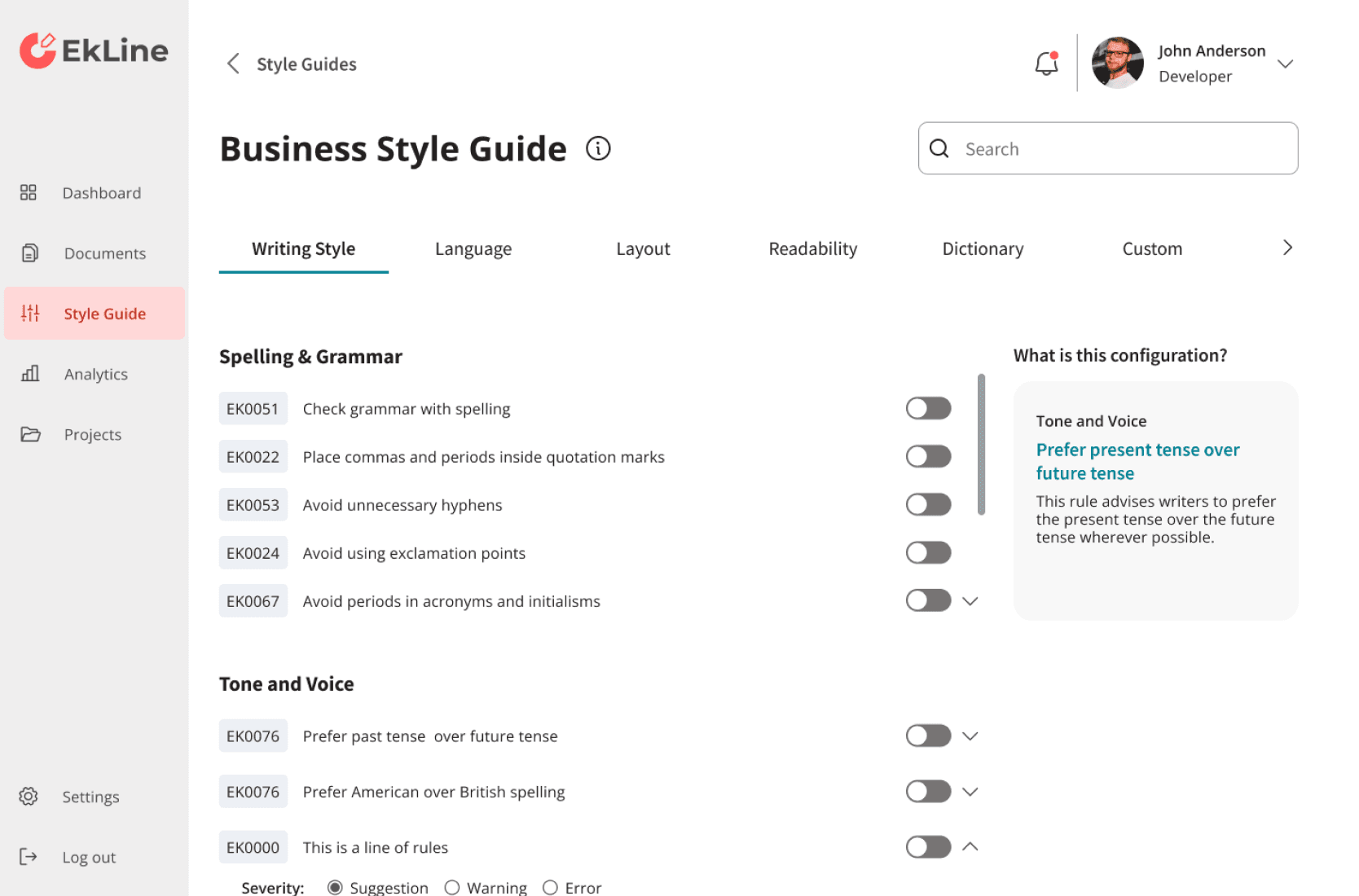
The tool promised AI automation but delivered high cognitive load through confusing settings labels and manual save requirements. I was tasked with redesigning the configuration experience to reduce friction and build user trust in the AI system within a 2-month timeline.
90%
Success Rate
Simplified settings navigation and labeling, resulting in users successfully completing configuration on the first attempt without errors.
45%
Time Reduction
Reduced configuration time through task-oriented grouping and search functionality, accelerating technical writer workflows.
75%
Error Reduction
Reduced configuration errors by 77% through autosave implementation and clearer labeling, eliminating data loss from forgotten "Apply" clicks and reducing misconfiguration issues.
Constraint Map
The Technical Bottleneck
The Problem: The "Manual Action" Disconnect
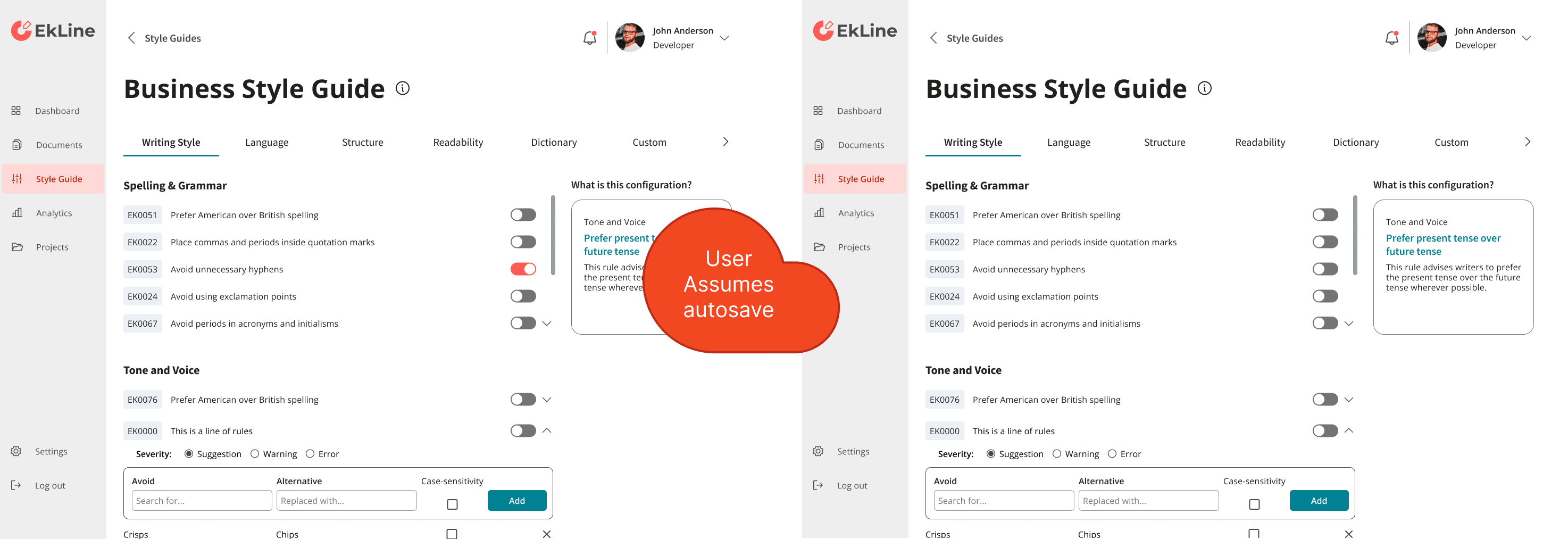
The settings interface required users to manually click "Apply" after making configuration changes. Technical writers frequently forgot this step, losing their work when navigating away from the page. This created frustration and doubt in the AI system, as users couldn't trust whether their preferences were actually saved.
Strategic Constraints
Business Challenge: Linguistic Friction
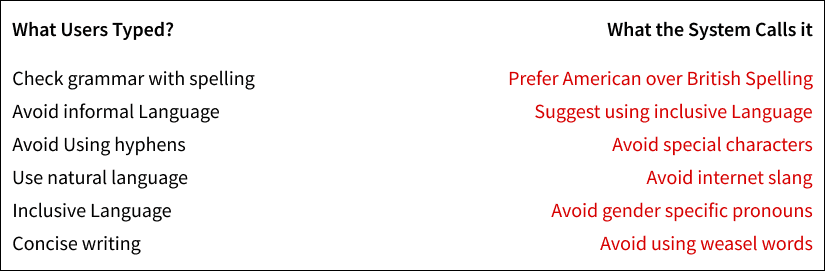
Technical writers needed to find specific documentation rules, but settings used technical backend names that didn't match industry terminology. For example, writers searched for "passive voice detection" but the setting was labeled "Avoid Special Characteristics." I couldn't change the backend names due to technical constraints, so I needed to bridge this language gap through the interface.
Strategy & Pivot
The Strategic Pivot
From Linear Steps to Searchable Settings
I redesigned the configuration experience with two approaches. For new users, I simplified the step-by-step setup flow by replacing technical jargon with clear, functional labels and adding inline guidance. For experienced users, I replaced the nested folder navigation with keyword search, allowing them to find any setting in seconds. This dual approach made initial onboarding clearer while accelerating ongoing configuration tasks.
Trust via The Feedback Loop
Implementing System-Wide Persistence
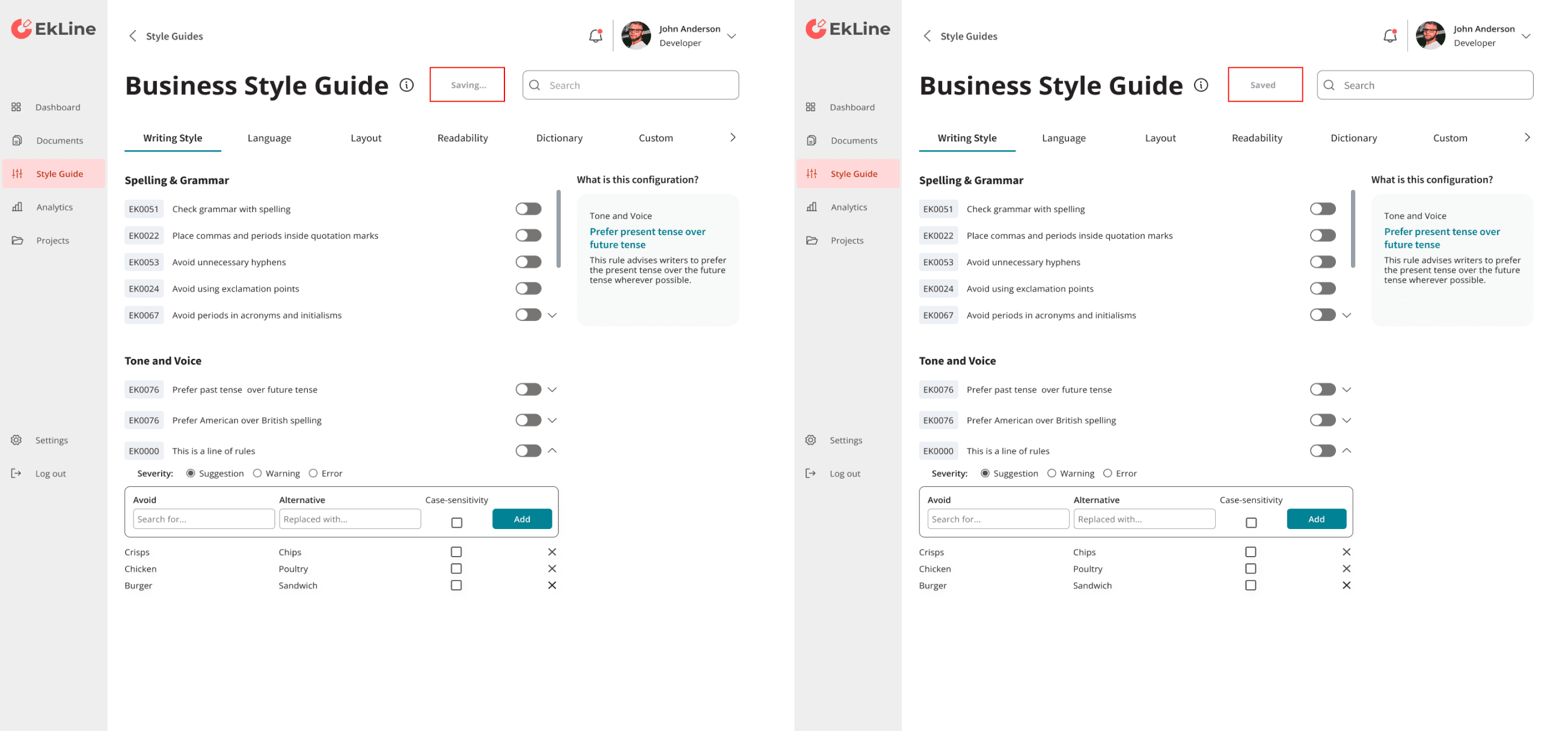
Both the step-by-step setup and settings library lacked feedback about whether changes were saved. I implemented autosave functionality that eliminated the manual "Apply" button and added visual confirmation when settings updated. Users could now see their configuration changes take effect immediately, eliminating anxiety about losing work and building trust in the system.
Linguistic Refinement
Bridging the Jargon Gap in Manual Steps
The step-by-step setup used engineering-centric language that confused technical writers. Terms like "Initialize Style Parameters" and "Configure Validation Rules" were unclear to non-technical users. I replaced these with functional labels that matched user mental models, such as "Set Writing Style" and "Choose Grammar Rules." This linguistic refinement reduced confusion and accelerated the onboarding flow.
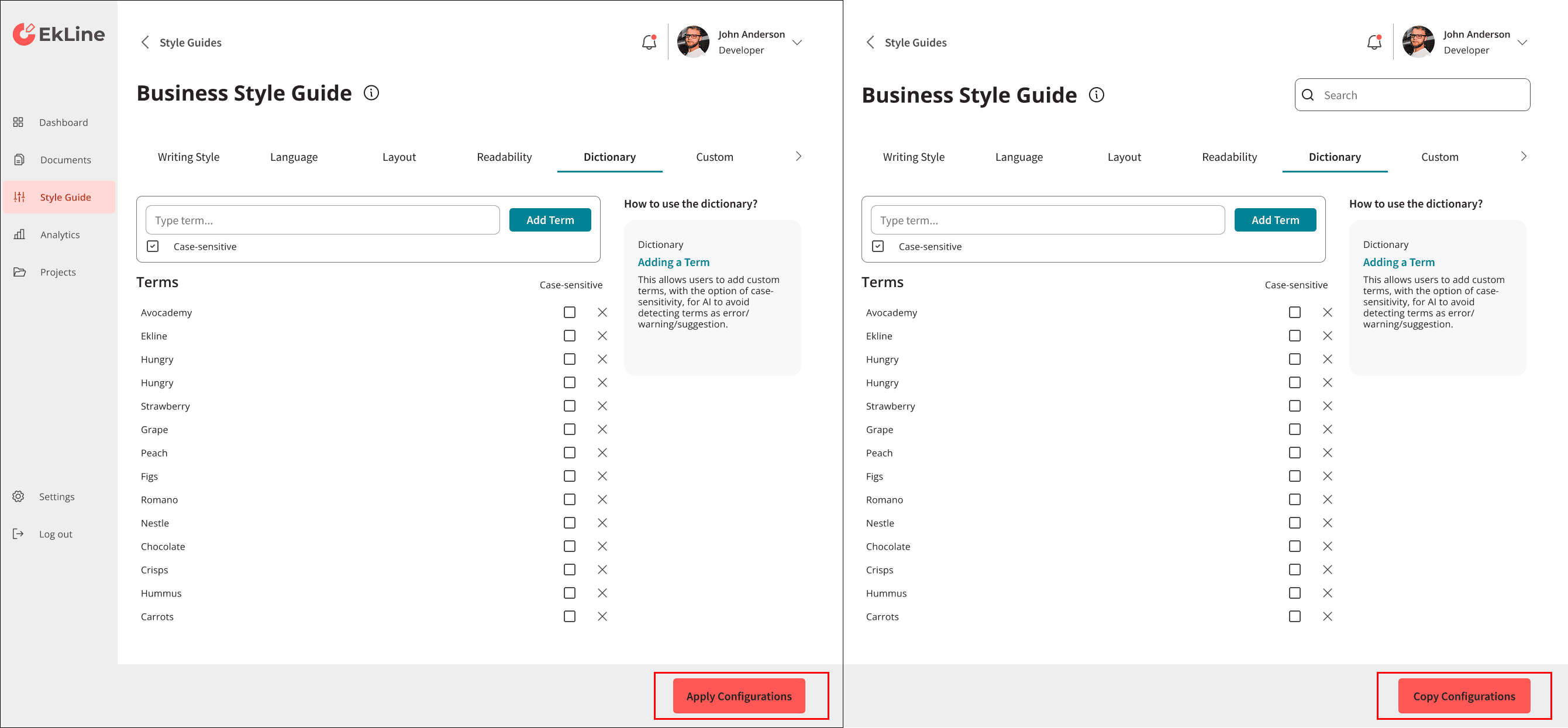
System Architecture & Asstes
Settings Library Overhaul
Building the Search-First Settings Hub
For the settings library, I replaced the nested folder navigation with a keyword search system. Because backend setting names didn't match industry terminology, I built a search function that recognized common synonyms. For example, searching "passive voice" would surface the backend setting "Avoid Special Characteristics." This search-first approach reduced configuration time by 45% and achieved a 90% first-attempt success rate.
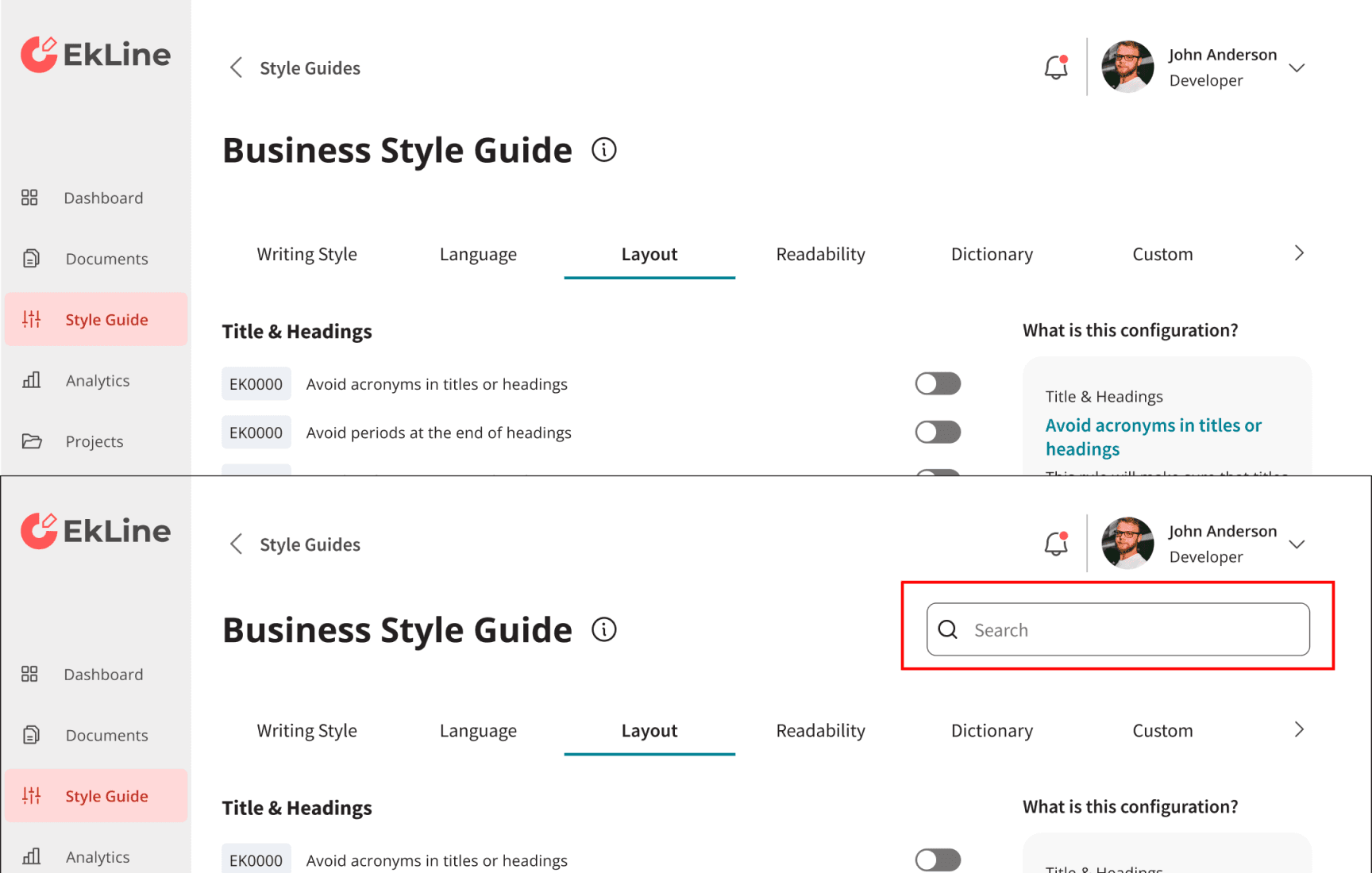
Intelligent Defaults
Role-Based Manual Onboarding
To simplify the step-by-step setup, I added role-based defaults. At the start, users select their role (Writer, Engineer, or Product Manager), and the system pre-configures the most relevant settings for that workflow. This allowed users to move through the setup faster and reduced the cognitive load of interpreting every configuration option.
Validation & future Proofing
Cleaning up Configuration Friction
Validating the Two-Track Strategy
I conducted usability testing to validate both the simplified setup flow and the search-first settings library. The results confirmed the approach worked: new users completed onboarding 45% faster, and experienced users achieved a 90% success rate finding settings on the first attempt. The dual system successfully reduced friction for both user types.